


>Calm Automaton :
A DIY toolkit for Ambient Displays
- Client:Graduation Project
- Date:May, 2017
- Category:Creative Projects
- Tags:Tangible Interface, System Design, Calm Technology
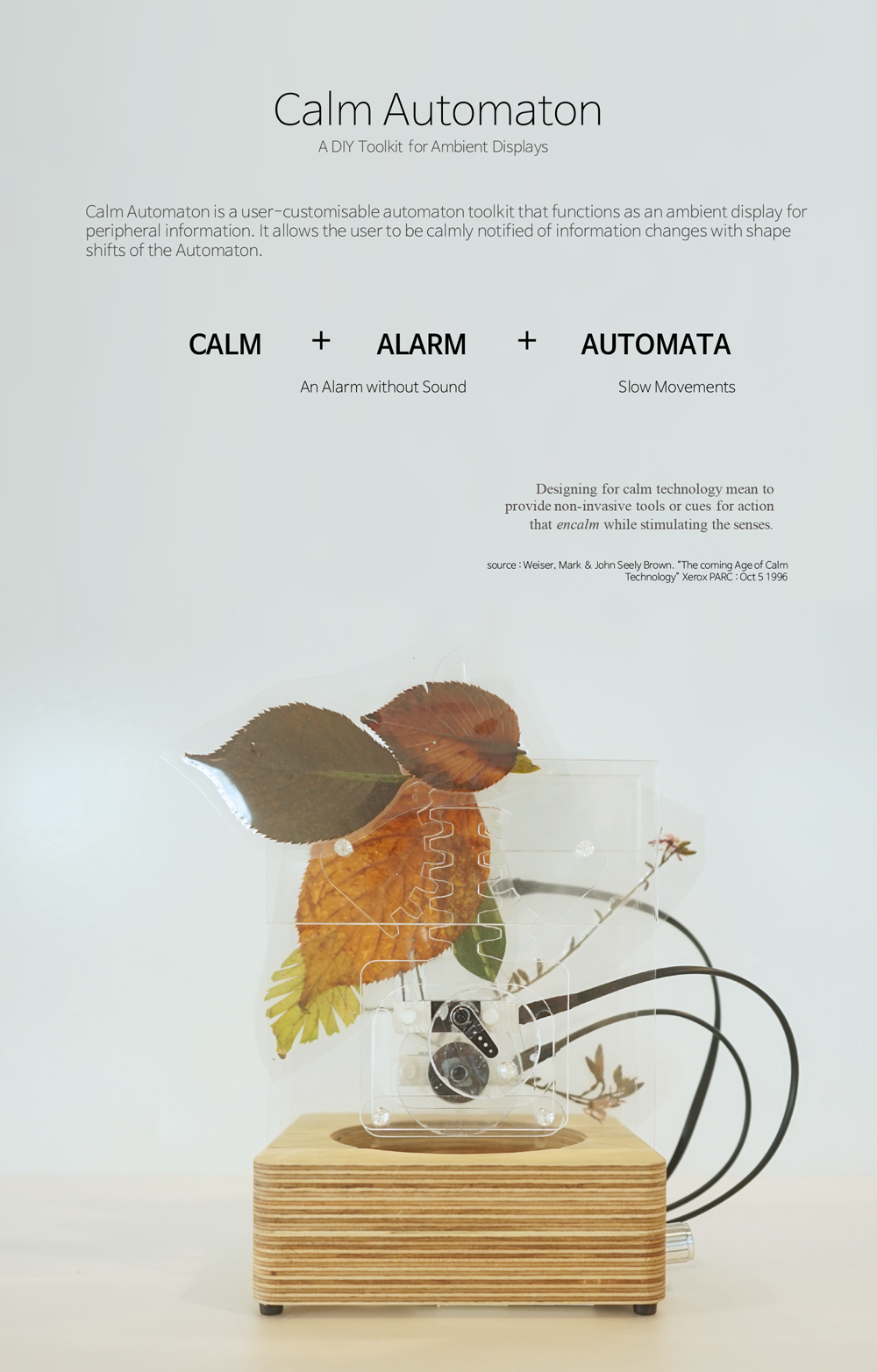
Calm Automaton is a user-customisable automaton toolkit that functions as an ambient display for peripheral information. It allows the user to be calmly notified of information changes with shape shifts of the Automaton. - Source : Proceedings of the 2017 CHI Conference Extended Abstracts on Human Factors in Computing Systems (https://dl.acm.org/citation.cfm?doid=3027063.3052968)
Calm Technology
The abundance of information technology in today’s society results in “Alert Fatigue” due to the overwhelming number of alarms and notifications that attempt to grab our attention.
We introduce Calm Automaton, a customizable and programmable physical display that gently visualizes abstract data in a pleasing and meaningful way, without attracting attention. We extend the concept of calm technology with a DIY toolkit to make information and notifications comfortable, personal, and embedded in the periphery.
Design Procedure
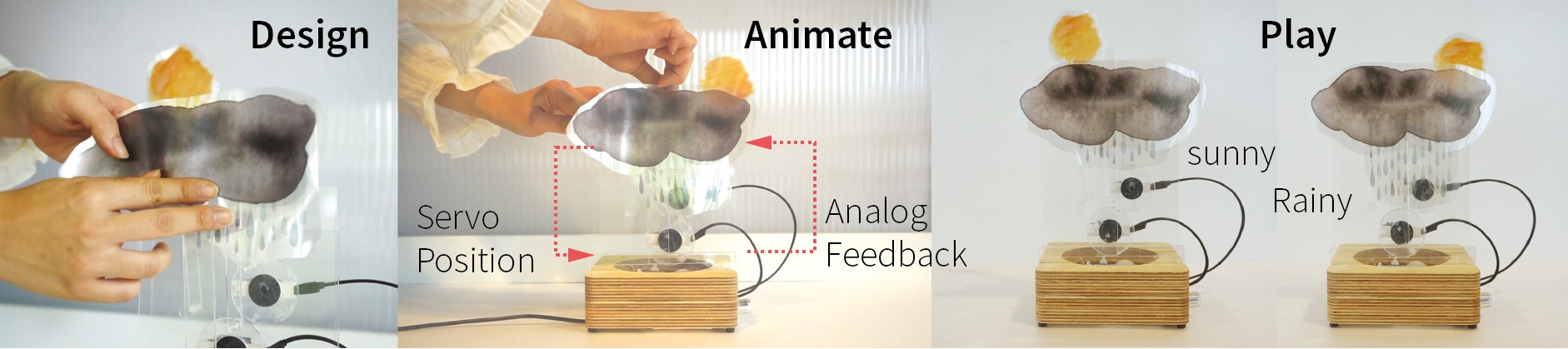
The design process to make a personal display consists of two steps. First make a design, select motion modules and attach artwork. Then animate the modules by mapping states (e.g. sunny, clouded, rain) to positions. We designed 6 motion modules. Each automaton can house three modules.
Users can make their own calm alarm by simply attaching print-out images or objects from your surroundings.
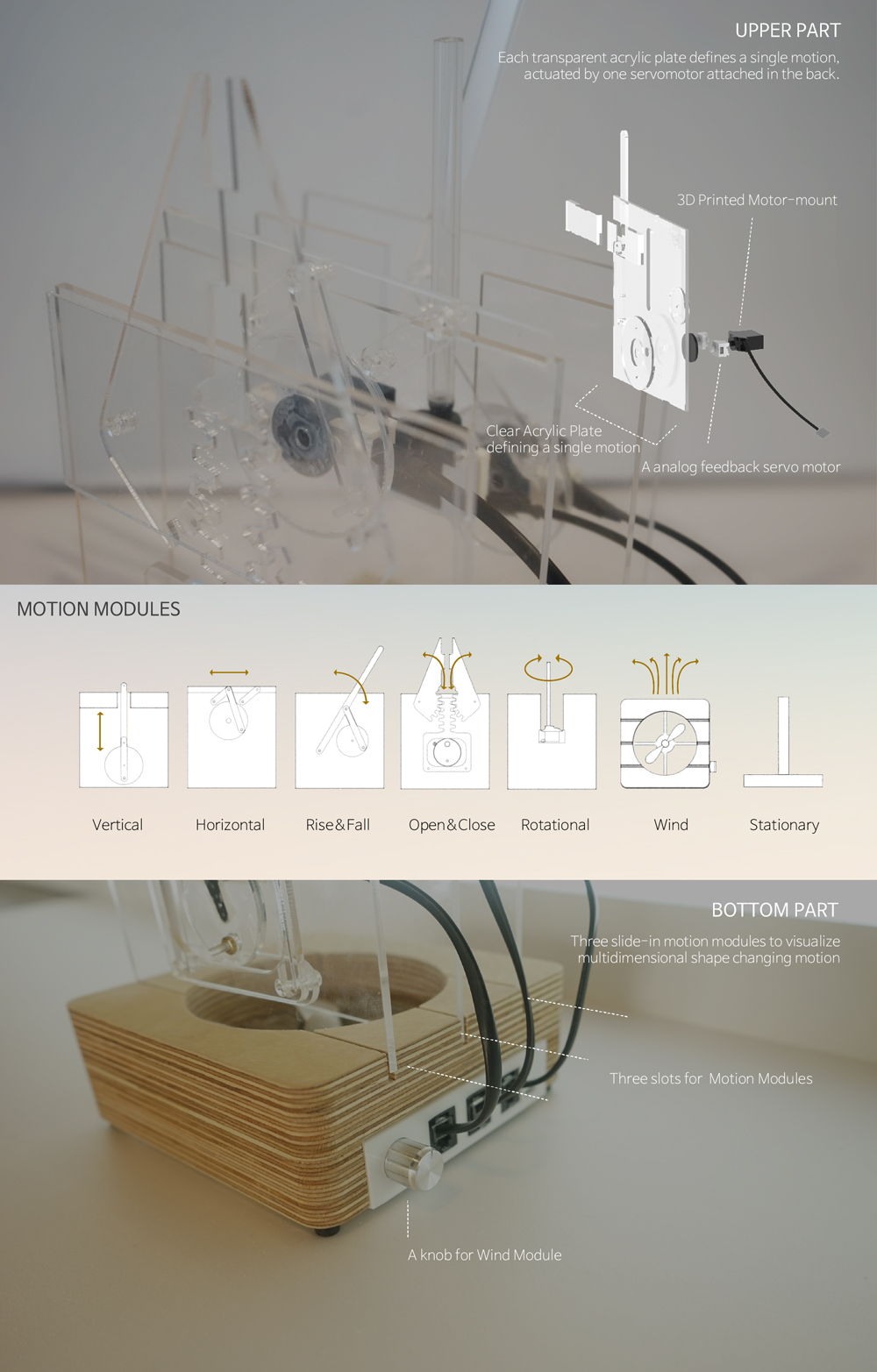
Each transparent acrylic plate defines a single motion, actuated by one servo motor attached to the back.
Prototype Design
Layers of 2D acrylic plates achieves 3D motion insired from the automata example in theatric play. Six acrylic motion modules with one stationary module are included in the toolkit and users may combine at most three motion modules to visualize multidimensional shape changes. Without any professional engineering knowledge, it allows users to tangibly link internet information and visualize in their desired way
System Design
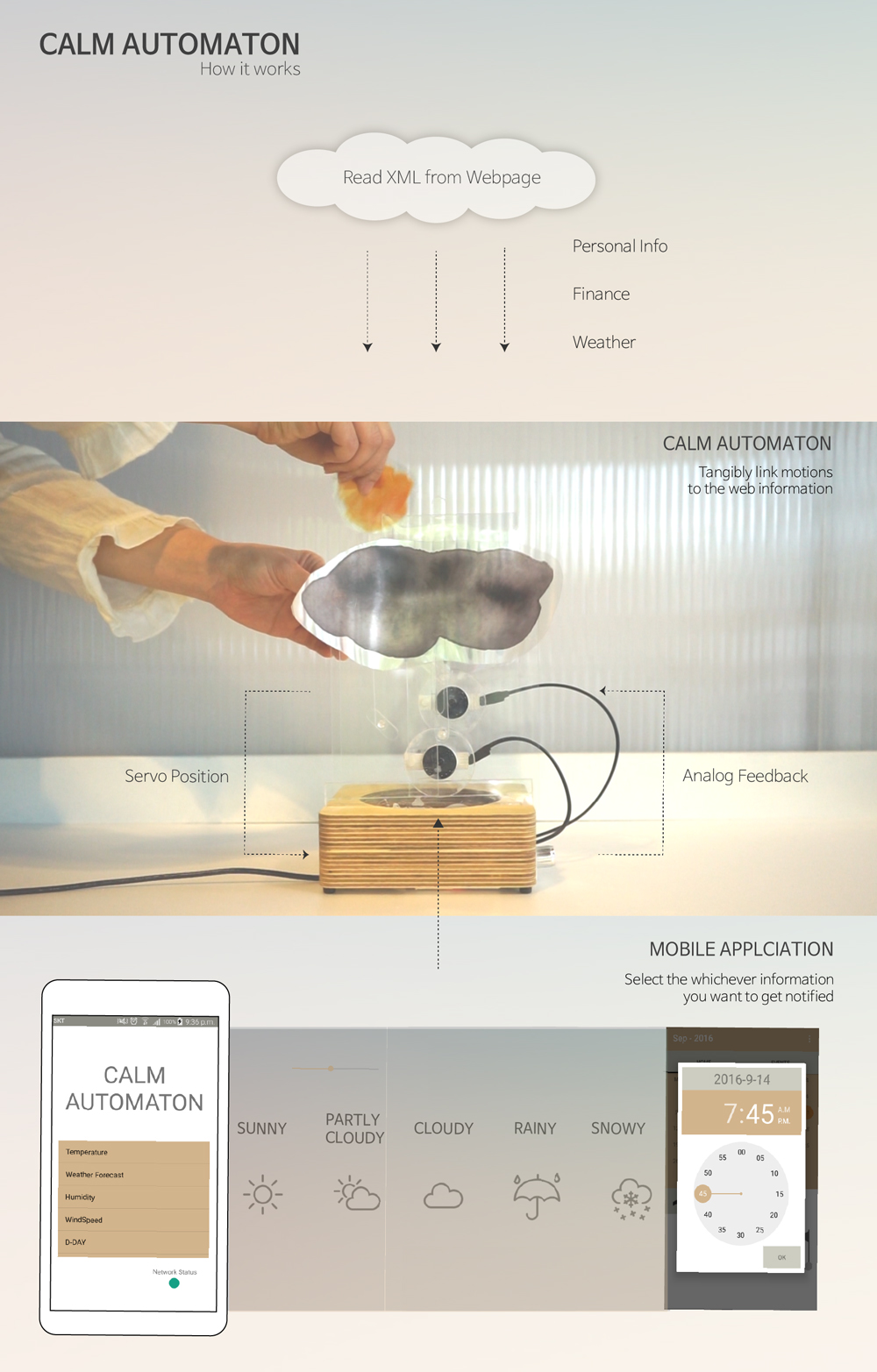
The system is consisted of three parts; the processing code running in the Raspberry Pi on the bottom part of the device. It is connected with Arduino, the reading and actuating part of the device, to send and receive specific commands send fro Android application. The Android application detects any position changes made by users, saves and simulates motions and eventually relates motions with states of information.
Exhibition
2017.May - CHI 2017, Denver, Colorado